Sculpt the balance
Adjust the bands to shape the balance of lows, mids and highs.
 My account
EQUALIZATION
Every frequency in its place.
Interface of referencia · Aura EQ Pro 2.1.22
IN YOUR SESSION
Find the balance in your mix. Adjust each band, control its dynamics and follow pitch with Smart Tracking.
Equalization for vocals, instruments and mixes.
Adjust the bands to shape the balance of lows, mids and highs.
Use band dynamics when a frequency region needs extra control.
Explore Smart Tracking to follow the tonal content of your signal.
TAKE A CLOSER LOOK
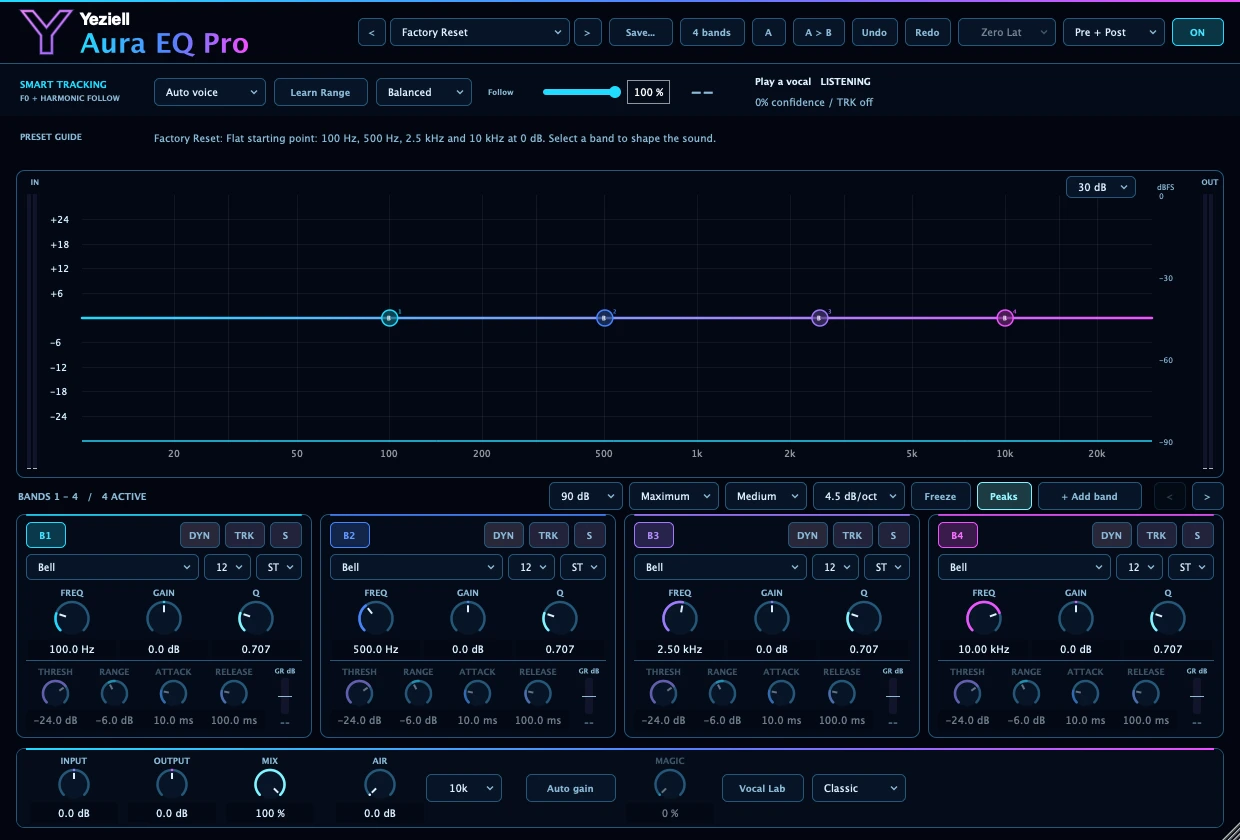 01 / Frequency, gain and Q
Tour of the real interface · Select a control for a closer look.
A REAL STARTING POINT
Look for this name in the plugin’s preset browser. Names are kept as they appear in the reference version.
A starting point for cleaning up a lead vocal.
Applies a broad low-mid reduction and controls presence without adding air.
Listen around 300 Hz and adapt the dynamic thresholds to the voice.
This is a starting setting: listen and adapt the controls to your signal.
BEFORE YOU START
Commercial release requirements and supported DAWs will be confirmed before purchases open.
View compatibility and help ↗