Dynamics your way
Adjust Compression, Ratio, Attack and Release to suit the performance.
 My account
COMPRESSION
Give every phrase intention.
Interface of referencia · AuraComp Pro 2.0.0
IN YOUR SESSION
Control your vocal dynamics. Adjust compression, attack and release with gain reduction always in view.
Vocal dynamics control, from subtle settings to stronger compression.
Adjust Compression, Ratio, Attack and Release to suit the performance.
The expander lets you work on noise between phrases. Advanced offers more settings.
Use A/B and Match to compare settings with level compensation. The meter shows gain reduction.
TAKE A CLOSER LOOK
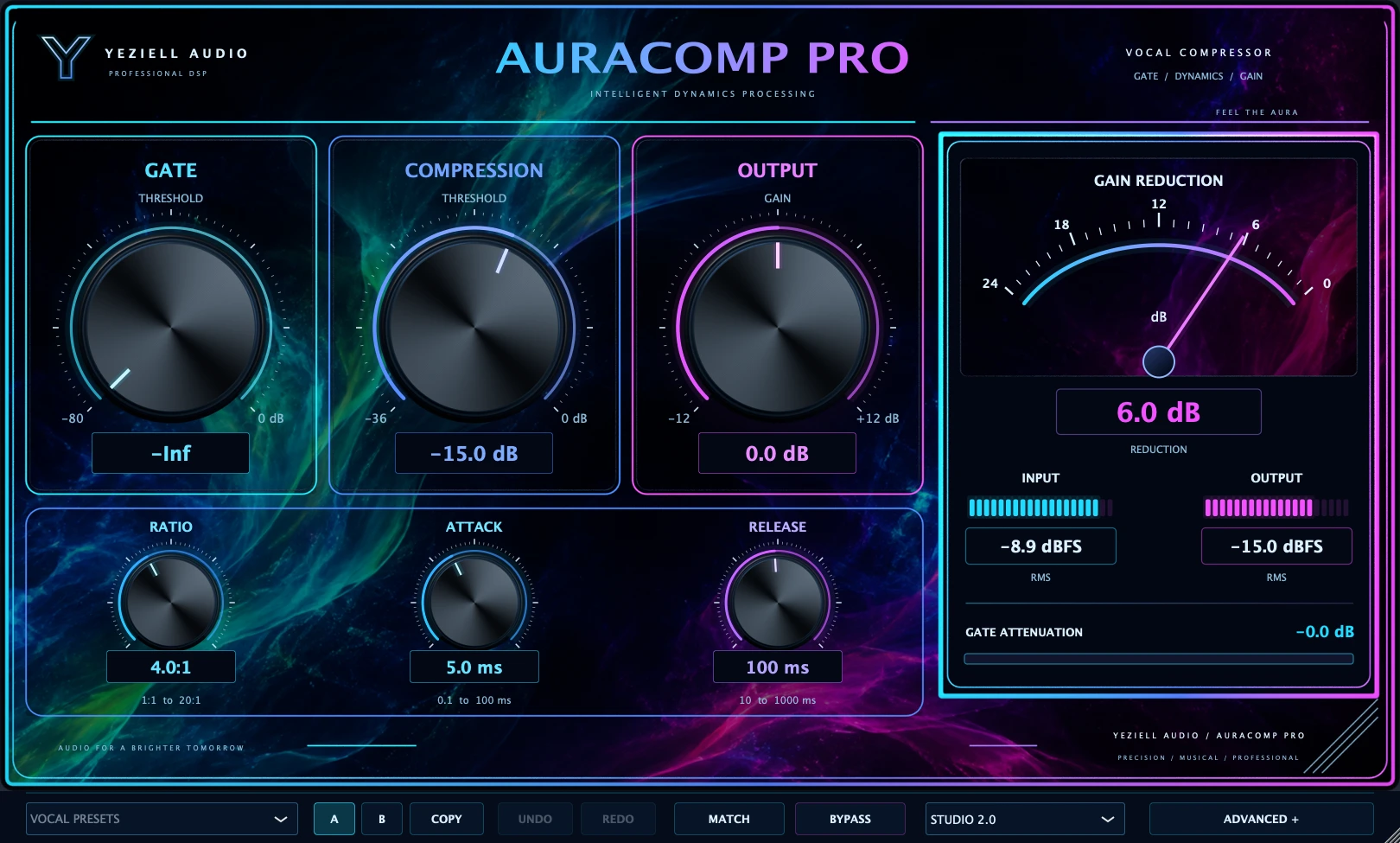 01 / Compression
Tour of the real interface · Select a control for a closer look.
A REAL STARTING POINT
Look for this name in the plugin’s preset browser. Names are kept as they appear in the reference version.
A starting point for moderate vocal compression.
Uses a 2.5:1 Ratio and 12 ms Attack, with Leveler set to 2.
Adjust Compression while watching gain reduction and compare with Match.
This is a starting setting: listen and adapt the controls to your signal.
BEFORE YOU START
Commercial release requirements and supported DAWs will be confirmed before purchases open.
View compatibility and help ↗